Older or Younger
Explore both directions from one photo.
What would a few more years look like? Upload a portrait, try a younger or older look, and explore another version of yourself.
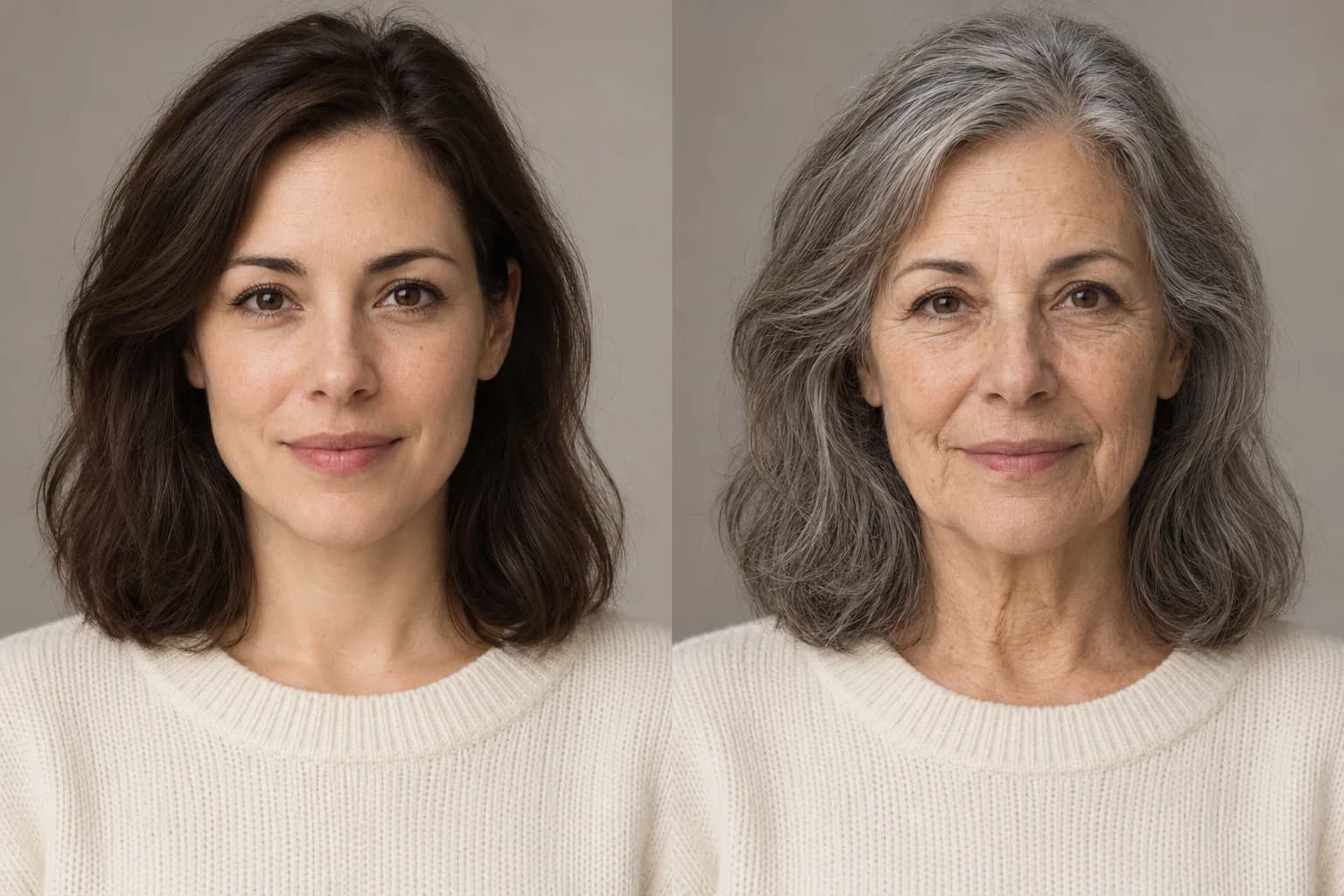 OriginalAge-filtered
Preview an older or younger look, then try your own portrait.
Explore both directions from one photo.
Set an adult target age from 18 to 85.
Edits aim to preserve recognizable features.
Download your result in the browser.
Natural-looking changes to hair, skin texture, and facial detail. Compare the original with an imagined older or younger portrait.
OriginalAge-filtered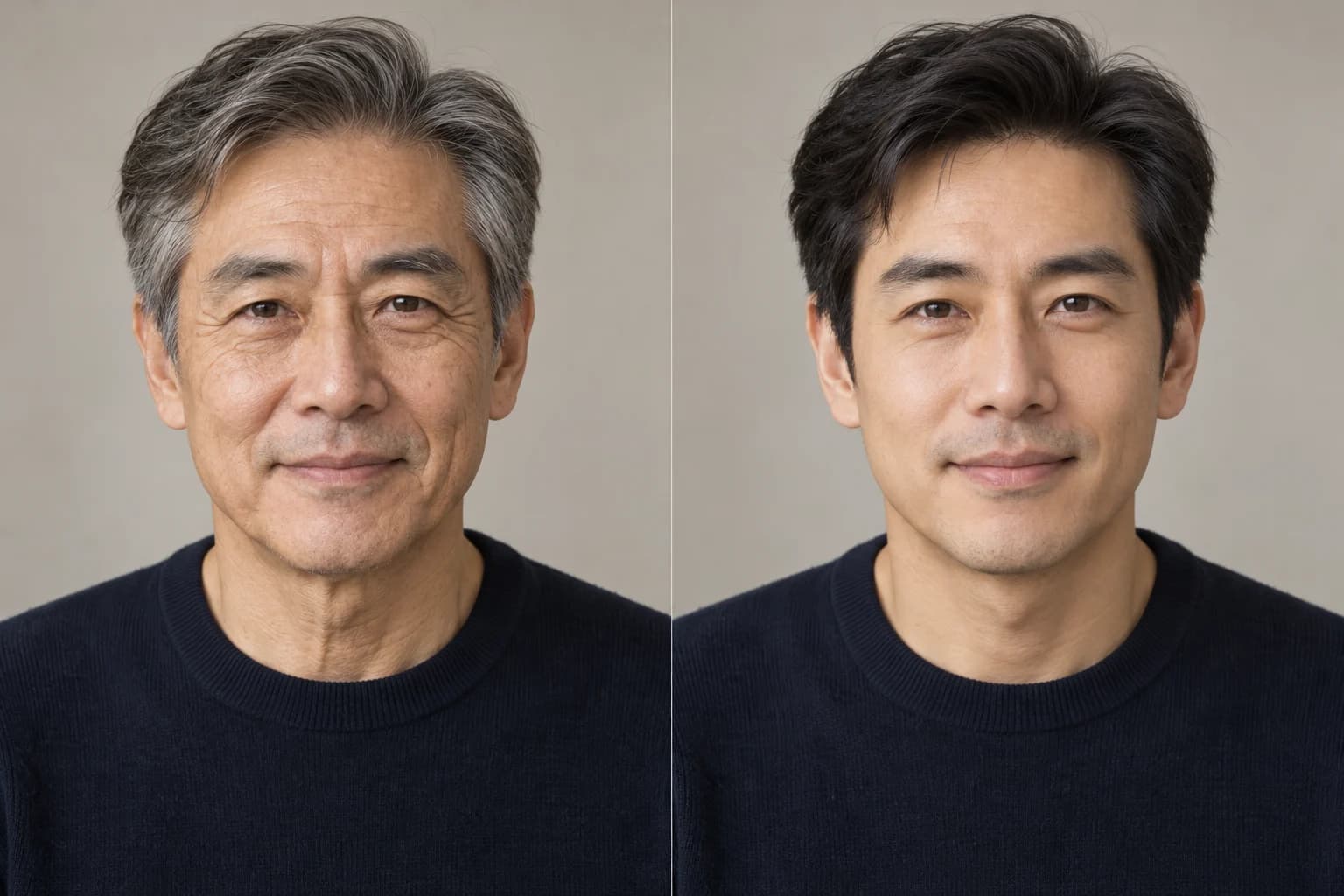 OriginalAge-filtered
AI-created examples for illustration. Results vary by photo. An age filter is a creative interpretation, not a prediction of your future appearance.
An AI age filter changes the apparent age of a person in a photo. It can add signs of aging, soften age-related detail, or create a portrait at a chosen adult age. Gendora works with an uploaded still image, so you can compare the edit with a photo you already have.
The model is asked to preserve your expression, recognizable features, clothing, background, and lighting. It can still redraw details. Think of the result as a creative portrait to explore and share, rather than an accurate forecast of how you will age.
Choose a clear photo of one adult with a visible face and even lighting.
Choose Younger for an approximately 25-year-old look, Older for around 70, or set your own age from 18 to 85.
Start the edit and keep the page open while your photo uploads and processes.
Check facial details and the surrounding scene, then save the finished image to your device.
The edit asks for changes in skin texture, hair, and facial volume while retaining recognizable identity and expression. Compare the result with your source photo.
Use a preset for a quick idea, or select a target age from 18 to 85. The number guides the edit; it does not measure or guarantee an exact apparent age.
Upload JPG, PNG, or WebP up to 10 MB. Create a still portrait and download it without installing an app.
Photos are sent to storage and AI providers to process the edit. Read the privacy policy before uploading sensitive images. Read the privacy policy
A useful source image makes changes easier to judge.
Create a playful older portrait to compare with your current look.
Explore a younger interpretation of a current adult portrait.
Picture the same fictional adult at different points in a story.
Save separate adult-age edits and assemble them in your own collage or video editor.
With everyone's permission, make individual portraits and share the changes together.
Explore masculine or feminine appearances with our photo gender swap tool. Try AI gender swap
Flexible pricing options for different needs
Billed annually: $95.90
For exploring new portrait looks now and then
Billed annually: $191.90
For creators who make new portraits regularly
Billed annually: $383.90
For frequent portrait creation and larger projects
A limited guest trial is available. A standard edit uses 5 credits. More edits can require an account or a paid plan; check the current plans for details.
Younger asks for an approximately 25-year-old appearance, while Older asks for around 70. Choose Age lets you set an adult target from 18 to 85. These guide the model rather than guarantee an exact visible age.
No. The result is a generated interpretation. Real aging depends on many factors that cannot be determined from a single photo.
The edit is instructed to preserve recognizable identity, expression, eye color, skin tone, and gender presentation. Results vary, and the model may change details you wanted to keep.
Upload JPG, PNG, or WebP up to 10 MB. A clear portrait of one adult works as a useful starting point. There is no person selector for group photos.
The instruction asks the model to preserve clothing, accessories, framing, and lighting. Generative edits can still introduce changes, so inspect the full image before sharing.
The photo is uploaded to storage and AI service providers. Browser access does not mean local processing. Review the privacy policy for details before uploading.
This editor creates a still image from an uploaded photo. It does not process live camera footage or generate a video.
Choose a portrait and explore a different age.
Try It Free