Familiar Features
The AI Gender Swap Filter aims to keep your expression and recognizable features as it changes your appearance.
Explore a different look with Gendora’s AI Gender Swap Filter. Upload a portrait, choose a direction, and download your gender-swapped photo.
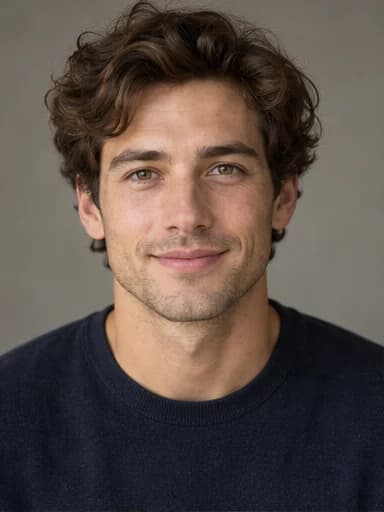 Before
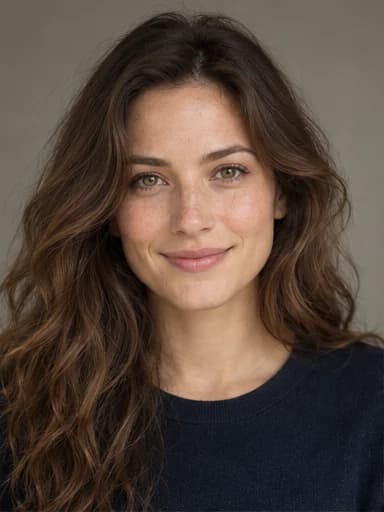 After
AfterExplore a few different looks before adding your own photo.
The AI Gender Swap Filter aims to keep your expression and recognizable features as it changes your appearance.
Upload, choose a direction, and create your photo.
Choose the photos you upload and the results you save.
Turn a portrait into a character reference or a conversation starter with the AI Gender Swap Filter.
A familiar face, a fresh look. Explore male-to-female and female-to-male portrait transformations.
BeforeAfter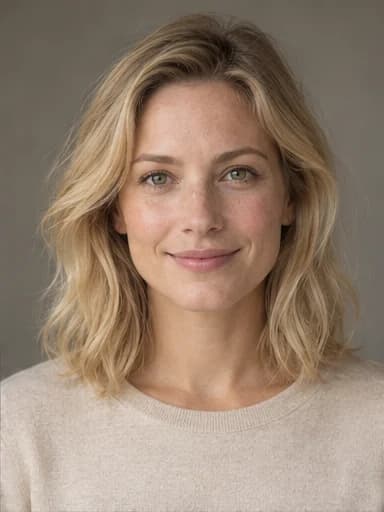 Before
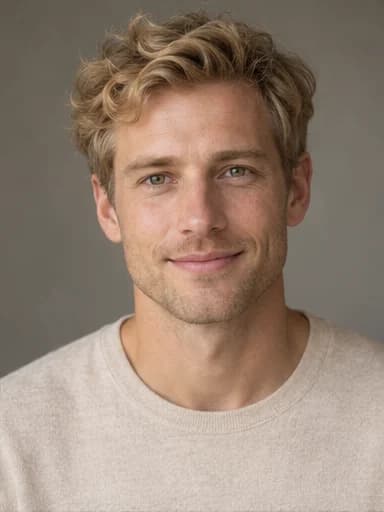 After
After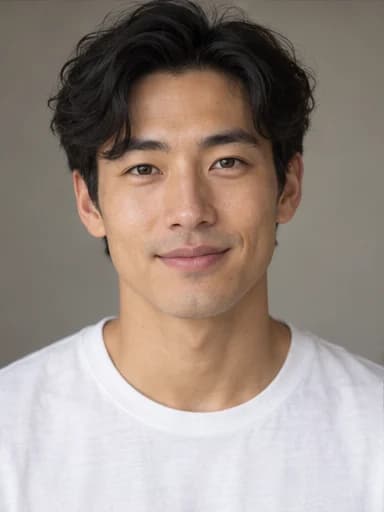 Before
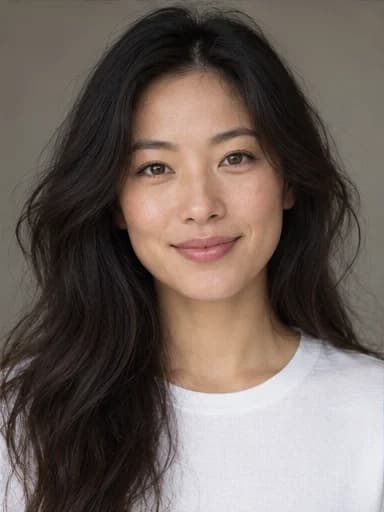 After
After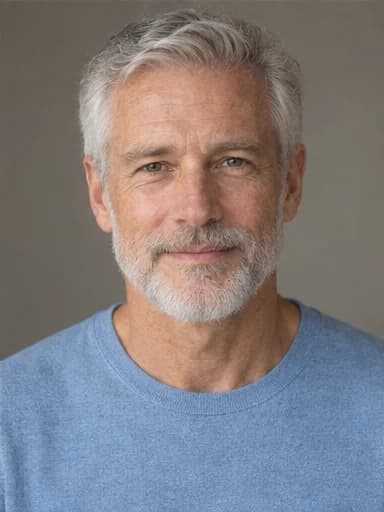 Before
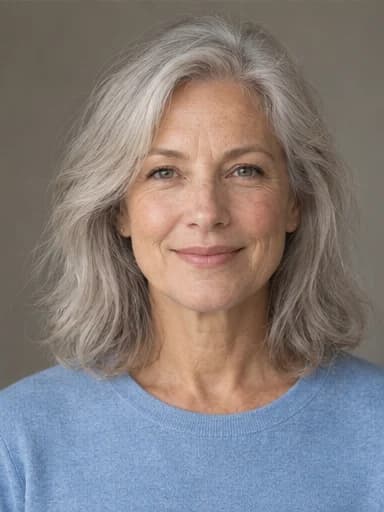 After
AfterThese AI-created portraits illustrate possible changes with the AI Gender Swap Filter. Your results will vary with the photo and selected direction.
An AI Gender Swap Filter creates a masculine or feminine version of a photo while aiming to keep the person recognizable. You can explore either direction using a selfie, a portrait, or a full-body shot. The result is an imagined appearance, not a prediction of how someone would look in real life.
Unlike a fixed face overlay you may see in a TikTok or Snapchat effect, Gendora’s AI Gender Swap Filter uses generative AI to redraw the photo. It considers the face, hair, lighting, and composition together, so the result can change more than a few facial features. Review the finished image alongside your original to see which details were preserved.
Recent successful model runs averaged 16 seconds. Uploading, queueing, and checking for completion add time.
The model supports up to 3840 × 2160 pixels. Its highest resolutions are experimental; this tool chooses output dimensions automatically.
Choose a clear selfie, portrait, or full-body photo with one adult and a visible face.
Select Male → Female or Female → Male. The first option is selected by default.
Start the AI Gender Swap Filter and keep the page open while it processes your photo. Wait for the finished portrait before starting another edit.
Save the finished image to your device using the download button below the result.
Gendora’s AI Gender Swap Filter aims to retain your identity, expression, and the original composition. Results vary, so compare the finished portrait with your source photo.
Create a masculine or feminine version using the same editor. Choose the direction before generating your image.
A limited guest trial lets you test the AI Gender Swap Filter with your own photo before registering. An account or a paid plan may be needed after those credits run out.
Our retention policy for uploaded photos is 7 days. Gendora does not use your photos to train a model; photos are sent to service providers to process your edit.
Use the AI Gender Swap Filter to explore a masculine or feminine version of a familiar portrait. Compare the two images to see how hair and facial details shape the overall look.
Make a separate portrait of each partner and compare the two transformations.
With permission, compare adult siblings’ portraits and notice shared facial features.
An AI Gender Swap Filter can help you explore alternate appearances for an adult character in a story or game. Save a few references to guide the character’s visual design.
Use an edited portrait as a starting point for hair, makeup, and costume ideas.
Try a different presentation before developing a profile picture or virtual character.
After saving a portrait from the AI Gender Swap Filter, try a separate edit with our AI age filter to explore an older or younger look.
Save your original photo and AI Gender Swap Filter result, then assemble the comparison in your video editor. The tool edits still photos; you choose the timing and transitions for the clip.
Use a transformation as a visual joke or turn the result into a short video with permission from everyone pictured.
Use the generated portrait to explore a character’s appearance before drawing a scene.
Compare different presentations for a creative brief using photos you have permission to edit.
Share consensual portrait transformations and compare your results together.
Yes, a limited guest trial is available. Each standard edit uses 5 credits; further edits may require an account or a paid plan.
You can try the editor in your browser without registering or installing an app. If your guest trial is used up, you may need to sign in or choose a plan to continue.
The editor sends your photo and chosen direction to openai/gpt-image-2.5-sunburst. The model generates an edited image while aiming to retain recognizable features and the original composition.
It can redraw facial features, hair, and surrounding details rather than place a fixed overlay on your face. The result aims to resemble you, but identity preservation is not guaranteed.
Yes, the AI Gender Swap Filter accepts full-body photos. A large, clear face usually gives the model more useful detail than a distant or partly hidden face. If the face looks small in the frame, try a closer crop.
The edit asks the model to keep your clothing and the scene. Generative edits can still alter details, so inspect the finished image before sharing it.
The AI Gender Swap Filter has no strength slider. Choose Male → Female or Female → Male; the model decides the changes for that direction. Start with a photo whose pose and expression you want to keep.
Many social effects are designed for an instant camera transformation. Gendora processes an uploaded photo with generative AI, which can redraw the image rather than apply a fixed face overlay.
Both directions use the same model. Lighting, pose, face visibility, and the source photo affect the result, so neither direction has a guaranteed accuracy rate.
Commercial use depends on your rights to the source photo, consent from the people pictured, and the applicable service and model terms. An AI edit does not grant rights to another person’s likeness or protected material.
Our retention policy for uploaded photos is 7 days. Photos are sent to our storage and AI service providers to process the edit; Gendora does not use them to train a model. Only upload photos you have permission to use.
Upload JPG, PNG, or WebP files up to 10MB. Use a clear photo with a visible face for the best chance of a useful result.
The editor is intended for one adult per photo and has no person selector. For a group shot, crop each consenting adult into a separate image before editing.
Have a portrait in mind? Try the AI Gender Swap Filter and compare your new look with the original.
Try It Free